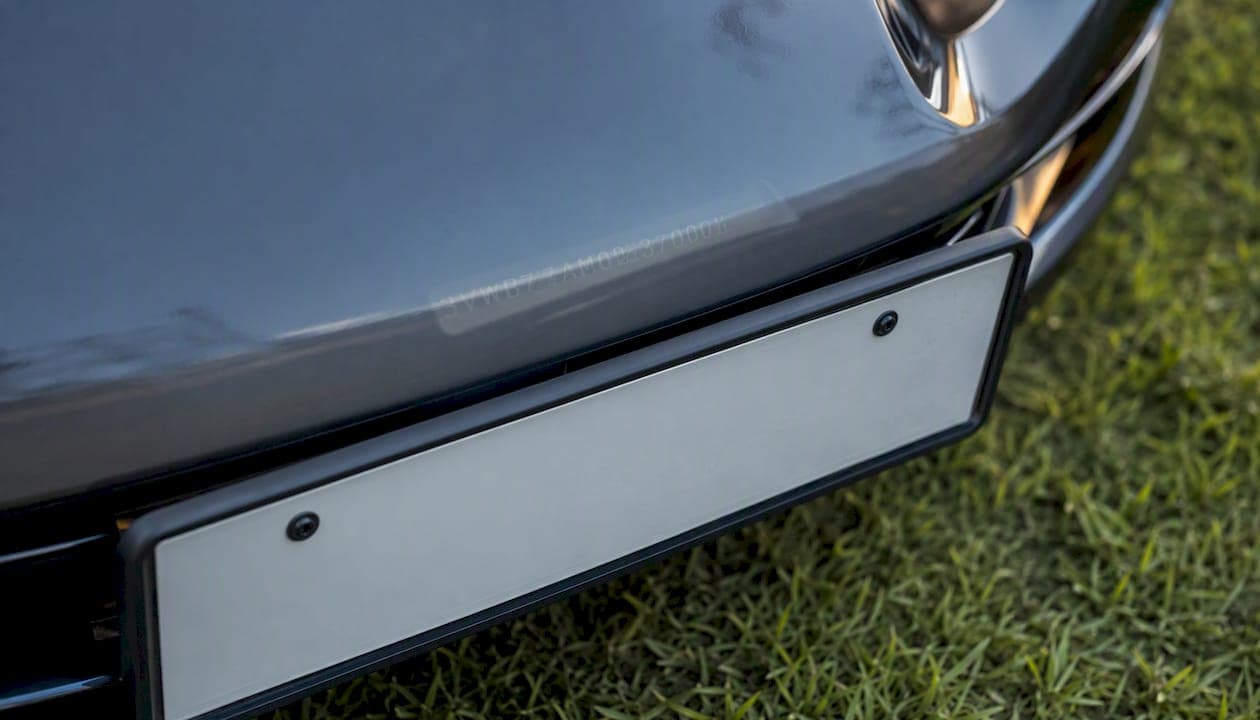
Yes, you can usually get a VIN from a license plate, and in most cases it takes less than a minute once you know where to look. A plate paired with its issuing state can be run through a state DMV, a private plate lookup service, or simply confirmed by asking the seller, and any of these routes can hand you the 17-character VIN you need to pull an official vehicle history report.
Before you do anything else, gather three things:
- The exact plate number, copied character for character (mixing up an "O" and a "0" ruins a lookup).
- The issuing state or province. Without it, a plate lookup is worthless. Ohio and Oklahoma both run plates starting with similar patterns.
- A photo of the plate and, if you can get it, a photo of the dashboard VIN or the seller's title.
Pro Tip: Screenshot the plate close up before you leave the driveway. Half of failed lookups come from a mistyped character, not a bad service.
Key Takeaways
Getting a VIN from a license plate is a fast, legal first step, but only an official vehicle history report tied to that exact VIN tells you whether the car is safe to buy.
| Point | Details |
|---|---|
| Gather plate, state, photo | Copy the plate exactly and note the issuing state before running any lookup. |
| VIN beats plate every time | The VIN is permanent and follows the car across owners and states; plates get reassigned. |
| Inspect physically when possible | Check the dashboard VIN and door jamb sticker against the title before trusting any report. |
| Owner data is usually restricted | Privacy rules limit plate lookups to vehicle specs, not owner names or addresses, for most users. |
| Run an official report before buying | Vinify converts a plate or VIN into a full Carfax report with an AI Judge score from 0 to 100. |
Table of Contents
- How to Get a VIN From a License Plate: What a Lookup Actually Returns
- Can You Legally Get Owner Information From a Plate?
- Step-by-Step: Turning a Plate Into a VIN
- You Have the VIN. Now Run a Vehicle History Report
- How to Verify the VIN and Spot a Tampered One
- How Vinify Turns a Plate Into a Full Vehicle Report
- What I'd Actually Do on Buying Day
- Order a Vinify Report in Minutes
- Where to Go Next for Verification and Reports
- Frequently Asked Questions
- Sources
How to Get a VIN From a License Plate: What a Lookup Actually Returns
A license plate lookup and a VIN lookup are not the same tool doing the same job. A plate lookup service typically asks for the plate number and the state, then returns vehicle specifications, and in many cases the VIN itself when the provider decodes the plate against registration records.
What you usually get back: year, make, model, and trim. Some services stop there. Others go further and return the full VIN, letting you move straight into a history report. A few private APIs are built specifically to make that jump, accepting a plate and a two-letter state code and returning a VIN plus a quick decode in a single request, with coverage across all 50 states.
The VIN matters more than anything a plate can tell you because it's the vehicle's permanent identity. A plate can be swapped, transferred, reissued, or reassigned to a completely different car when someone moves states. The VIN never changes. It's stamped into the frame at the factory and stays with that specific vehicle through every sale, every state re-registration, every owner.
A plate lookup might tell you "2019 Honda Accord EX, silver." A VIN lookup tells you the exact car: this Accord, with this accident history, this title status, and this odometer reading, tracked from its very first registration to today.
That distinction is why serious buyers treat the plate lookup as step one, not the destination.
| Feature | Plate Lookup | VIN Lookup |
|---|---|---|
| Identifies vehicle spec (year, make, model) | Yes | Yes |
| Returns full accident and title history | Rarely | Yes |
| Stays accurate across ownership changes | No, plates get reassigned | Yes, VIN is permanent |
| Requires issuing state to work | Yes | No |
| Typical use | First step, quick check | Full history report |
Can You Legally Get Owner Information From a Plate?
Usually not, and that's by design. Most jurisdictions restrict who can access owner names, addresses, or contact details tied to a plate. Privacy laws and DMV policies typically limit that data to law enforcement, insurers, and businesses with a documented legal or permitted purpose. A private citizen running a casual plate lookup will almost always hit a wall the moment the request moves past vehicle specs and into owner identity.
Platforms that offer these lookups build that restriction into their own policy language. Google's privacy policy is a useful example of how major platforms frame data-use limits generally, restricting personal information to permitted purposes rather than open lookup. Vehicle-data vendors follow the same logic in their own terms of service: acceptable use covers things like buying or selling a car, verifying a vehicle for insurance, or fulfilling a legitimate business need. It does not cover tracking down a stranger's home address from their plate.
If your goal is to check out a used car before you buy it, you're squarely inside the legitimate-use category. If your goal is figuring out who owns the car parked in your usual spot, most services will refuse the request, and the law in most states backs that refusal.
One more thing worth flagging: rules here vary by country and by state, sometimes significantly. What a Texas dealer can pull for a bulk inventory check is not what a private buyer in another state gets through a consumer-facing tool. Always check your local DMV's specific policy before assuming a workaround exists.
Step-by-Step: Turning a Plate Into a VIN
Here's the order that actually works, ranked by speed and reliability.
- Ask the seller or inspect the car in person. This is the fastest and most reliable method, full stop. The VIN is visible on the dashboard (read through the windshield from outside), on a sticker inside the driver's door jamb, and often stamped in the engine bay. If you can see the car, you rarely need a plate lookup at all.
- Try a state DMV inquiry. Many state DMVs offer limited public lookups or will process a formal records request, particularly useful if you're a lienholder, insurer, or have another documented legal reason. Turnaround ranges from instant online tools to a mailed request taking days, and most DMVs still won't hand over owner details to a private individual.
- Use a private plate-to-VIN service or API. These tools accept the plate number and issuing state, then return a decode. Some return one VIN match, others return multiple candidate VINs for you to confirm against the vehicle itself. Expect a small per-lookup fee, usually a few dollars, and near-instant results.
- Go through law enforcement, salvage auctions, or authorized dealer networks. If you're dealing with a suspected stolen vehicle, a salvage title question, or a dispute, these channels have access private lookups don't. This is the slowest path and typically requires a specific, documented reason to proceed.
Pro Tip: Whichever method you use, always double check that the issuing state matches what you entered. A plate lookup run against the wrong state returns nothing, or worse, returns a completely unrelated vehicle.
You Have the VIN. Now Run a Vehicle History Report
Getting the VIN was step one. Running an official vehicle history report is the step that actually protects your wallet. A VIN alone tells you the car's identity; the history report tells you what's actually happened to it, and that gap is where bad used-car purchases hide.

A proper report should cover accident history, title brands (salvage, flood, rebuilt), odometer readings across multiple points in time, open liens, and recorded service or maintenance events. Each of those maps directly to a buying decision: a title brand can tank resale value overnight, a rolled-back odometer means you're paying for miles that don't exist, and an open lien means the seller may not legally be able to transfer ownership to you at all.
| Report Element | What It Tells You | Buying Impact |
|---|---|---|
| Accident history | Number and severity of reported incidents | Structural damage risk, resale value hit |
| Title brand | Salvage, flood, rebuilt, or clean status | Can make financing or insurance difficult |
| Odometer readings | Mileage recorded at multiple points | Flags rollback fraud |
| Lien status | Outstanding loans against the vehicle | Affects your ability to get clear title |
| Service records | Maintenance and repair history where available | Signals how well the car was cared for |
Free partial lookups exist, but they usually give you a fraction of this picture, often just a title-brand flag with no detail. Paid reports from official data sources cost more, but they're pulling from actual DMV, insurance, and auction records rather than guesswork, which is the entire point of running one before you hand over money.
How to Verify the VIN and Spot a Tampered One
Before you trust any report, confirm the VIN actually belongs to the car in front of you. VIN cloning, where a criminal swaps a stolen car's VIN plate with one copied from a legitimate vehicle, is a real problem and it's exactly why a five-minute physical check matters.
- Check the dashboard VIN, visible through the windshield on the driver's side.
- Check the driver's side door jamb sticker.
- Check the engine bay, usually stamped near the block or firewall.
- Cross-reference all three against the title, registration, and the VIN on your history report.
- Look for mismatched fonts, uneven rivets, scratches around the dashboard plate, or a door sticker that looks newer than the car.
If any of these don't match, or the plate shows signs of having been pried up and reset, walk away. A mismatched VIN between the dash and the title is one of the clearest signs of tampering you'll ever encounter, and no discount is worth the legal mess that follows.
How Vinify Turns a Plate Into a Full Vehicle Report
Once you've got a plate number and a state, or a VIN straight off the dashboard, Vinify resolves it into an official Carfax vehicle history report in one step. Enter either identifier, and the system pulls accident history, title checks, ownership records, and odometer readings directly from official Carfax data sources.
What sets it apart is the Vinify AI Judge, which reads the full report and returns a score from 0 to 100 with a plain recommendation: buy, negotiate, or avoid. For a buyer staring at a dense report full of technical fields, that single number does the interpretive work a first-time used-car shopper usually has to guess at.
Using it takes three steps: enter the plate or VIN, purchase a single report or a discounted credit pack if you're comparing several cars, then download the PDF and review the AI verdict alongside the raw data. Every report pulls from official Carfax records, exports cleanly as a PDF for your files or a lender, and shows its sourcing rather than presenting a black-box score.
Pro Tip: If you're cross-shopping three or four listings, a credit pack works out cheaper per report than buying one at a time, and it lets you compare vehicles side by side before you commit to a test drive.
What I'd Actually Do on Buying Day
If I'm standing next to a used car I'm seriously considering, I skip the plate lookup entirely when I can. I walk to the dashboard, read the VIN through the windshield, and check it against the door jamb sticker. That's the fastest, most reliable version of this whole process, and it costs nothing. Plate lookups earn their keep when the seller won't let you near the car yet, when you're scouting listings remotely, or when a photo is all you've got to work with. In that case, plate plus state gets you a VIN candidate you can confirm in person before money changes hands. Either way, the plan doesn't change: get the VIN, verify it physically, and never buy a used car without running an official history report against that exact VIN. Skipping that last step to save $20 is how people end up owning a flood car with a clean-looking title.
Order a Vinify Report in Minutes
Vinify turns whatever you have, a plate and state or a VIN off the windshield, into an official Carfax report without the back-and-forth of a dealership request or a DMV records form.
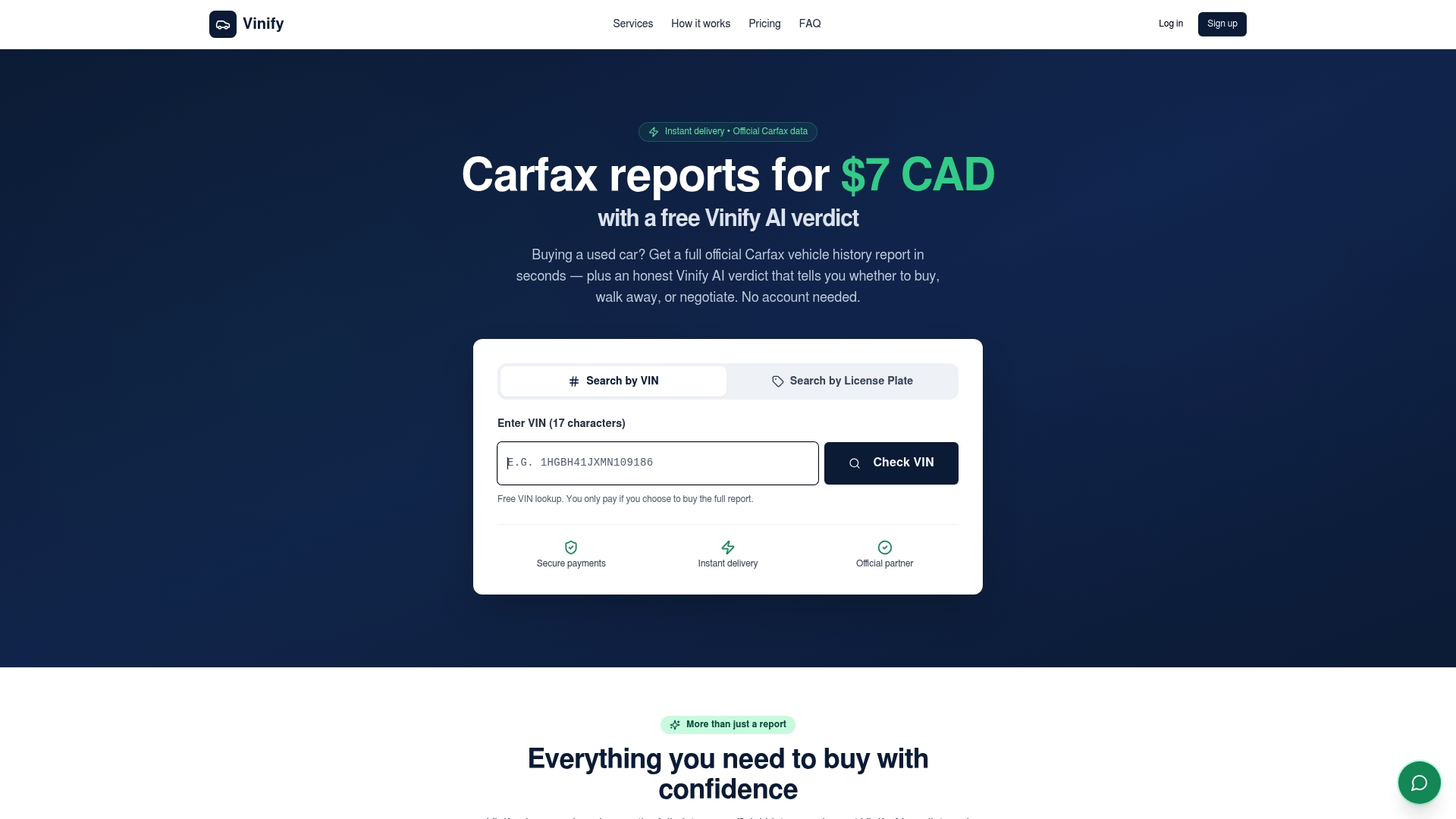
Enter your plate number and state, or the VIN if you've already got it, and Vinify pulls the official Carfax history: accidents, title status, ownership changes, and odometer readings, delivered as a downloadable PDF alongside the AI Judge's 0 to 100 score and buy, negotiate, or avoid recommendation. Reports start at $7 for a single vehicle, or you can buy a credit pack if you're comparing multiple listings before you commit to a viewing. Before you finalize anything, still check the physical VIN on the dashboard and door jamb against what the report shows. Then head to Vinify and pull the report on the car you're actually considering.
Where to Go Next for Verification and Reports
- J.D. Power's license plate lookup guide explains what vehicle spec data a plate decode typically returns.
- Google's privacy policy illustrates how major platforms frame limits on personal data use, a useful baseline for understanding why owner information stays restricted.
- Google's terms of service shows how permitted-use language works for data and API access, the same logic vehicle-data vendors apply to their own lookup tools.
- Vinify is where you turn a confirmed VIN into an official Carfax report, complete with AI Judge scoring, once you've verified the vehicle in person.
Frequently Asked Questions
Can I really find a VIN by license plate number for free? Some basic vehicle spec lookups are free, but full VIN retrieval alongside owner data is not, and most reliable services charge a small fee for accurate results. Free tools tend to return partial or outdated information.
Does a license plate lookup work if the car is registered in a different state than the one on the plate? Not directly. You need the state that actually issued the plate, not where the car is currently parked or where you found the listing. If a car recently moved states, the plate may still reflect its prior registration until it's re-titled.
What if the plate is expired or the car is unregistered? An expired plate can sometimes still return historical data, but an unregistered or newly acquired vehicle may not show up in plate-based lookups at all. In that case, asking the seller directly for the VIN or inspecting the car in person is your best option.
How accurate are private VIN lookup by license number services compared to DMV records? Private services pull from licensed data partnerships and are generally accurate for vehicle specs, though DMV records remain the authoritative source for title and registration status. Cross-checking both, when possible, gives you the most complete picture.
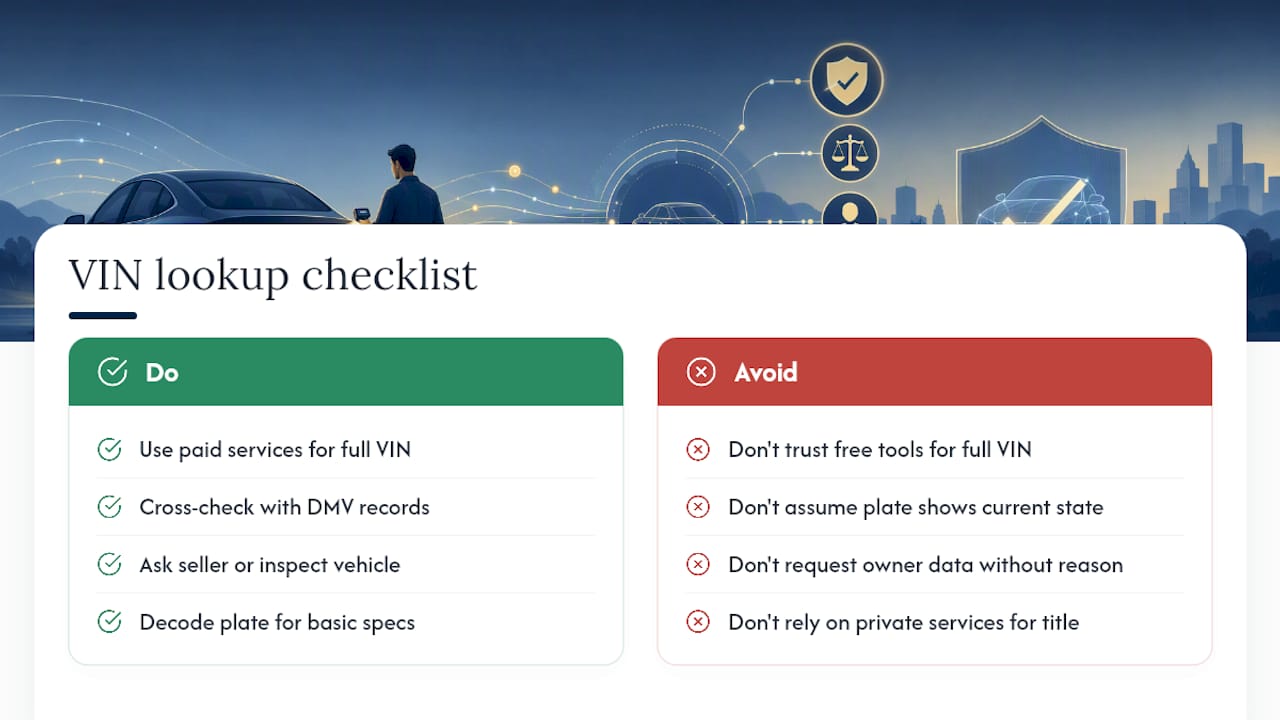
Is it legal to decode license plate VIN information myself? Yes, decoding a plate into basic vehicle information is legal for legitimate purposes like buying or selling a car. What's restricted is pulling personal owner information without a permitted legal or business reason, which most services simply won't provide to casual users anyway.
Sources
- Google Privacy & Terms — Privacy Policy